.png?width=187&height=40&name=AppVentory%20Logo%20(White).png)
Company profile
Creating a company profile is an essential task for businesses of all sizes and industries. A carefully crafted profile can be a valuable marketing tool and communication asset, providing numerous benefits. Ensuring that the information is accurate will improve your business profile and contribute to its growth. It will also help your business stand out among other software providers and consultants, positively impacting its growth.
We have designed the brand setup page in a way that is easy to setup and move to each required step. Please make sure all the steps below are complete in order to move to the next step. The ones in bold are mandatory.
Basic Information:
- Name (100 characters)
- Website
- Phone number
- Founded in (Year)
- About company: This section should provide a succinct overview of the organization, encompassing its mission and core values, a brief history highlighting key milestones, the team and leadership, a clear description of its products or services, notable achievements, customer focus, and a glimpse into its future vision, all while maintaining a tone and style consistent with the company's brand identity and engaging the reader's interest.
- Whom We Are Looking For - The type of partners you are seeking.
- LinkedIn profile link
- X (Previously Twitter) Profile Link
- Logo: Max image size 200KB. Multiple images cannot be uploaded at a time
- Company web banner: Max image size 200KB. Multiple images cannot be uploaded at a time (Sample logo and company web banner shown below)
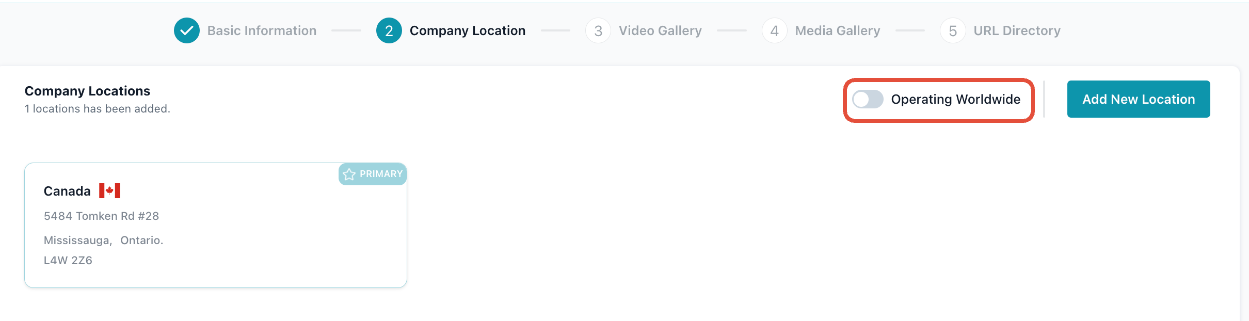
Company location
Add the countries you are operating from, or simply check the worldwide toggle to say you operate globally.
Video Gallery
Add videos to showcase your skills. You can add URLs from any video hosting website if the link is public.
Media Gallery
Add any images of the services you provide here if needed. Max image size 200KB.
Web listings
Add links to where your company has been listed.
Partner programs
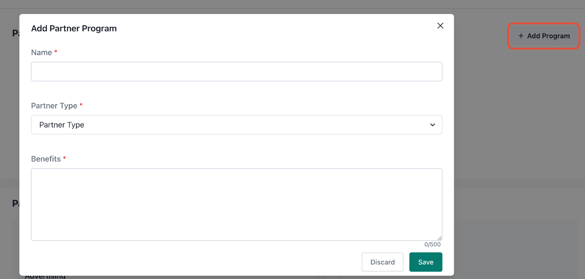
You can begin by naming the program and selecting the type of partner, along with their benefits.
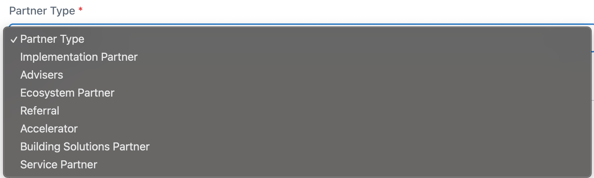
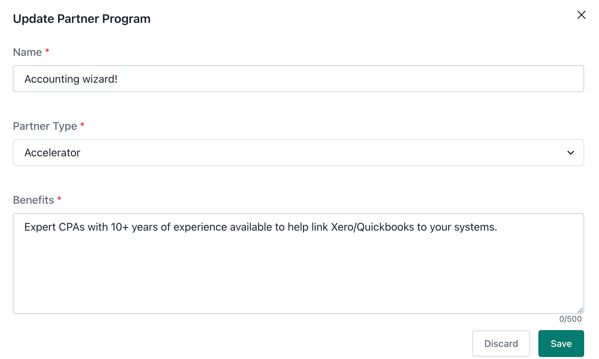
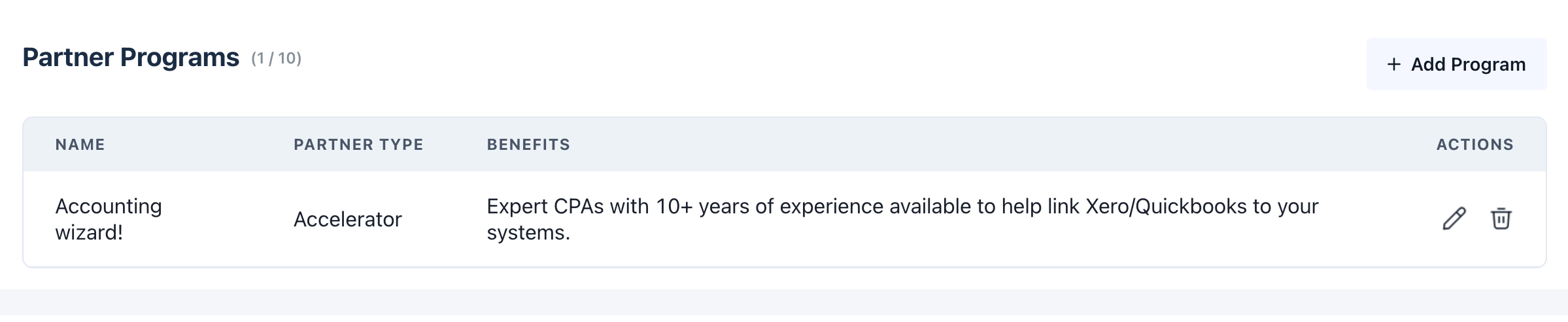
You can define up to 10 partner programs.
You can now select the industries associated with the partners you work with.
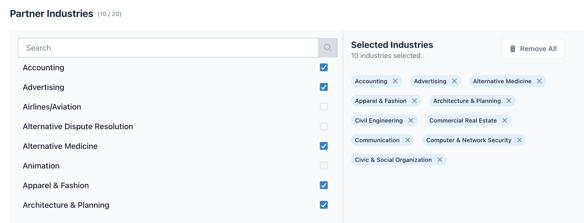
Note: You can select up to 20 partner industries.
System Grids
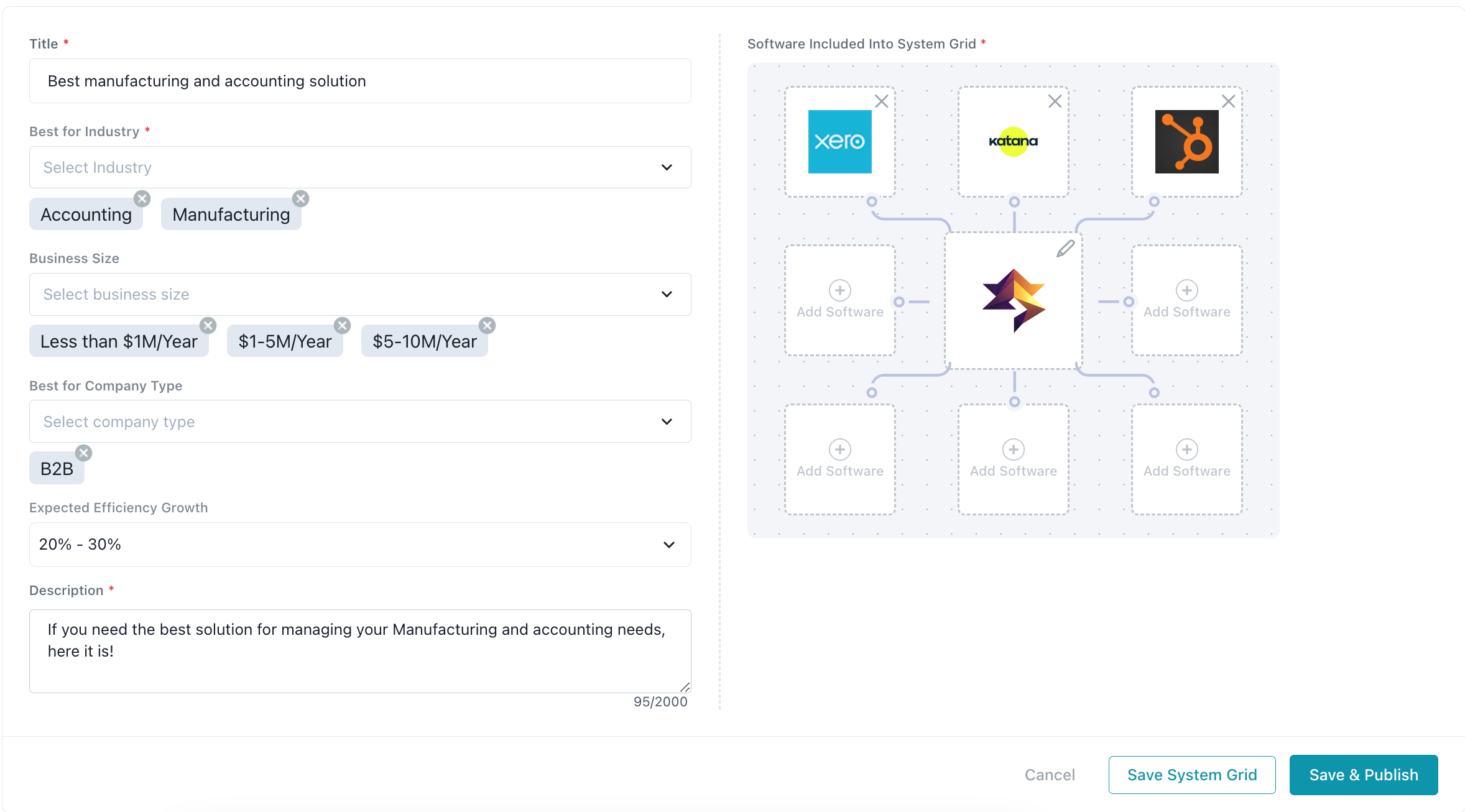
When creating a system grid, your software is added as the main core software by default.
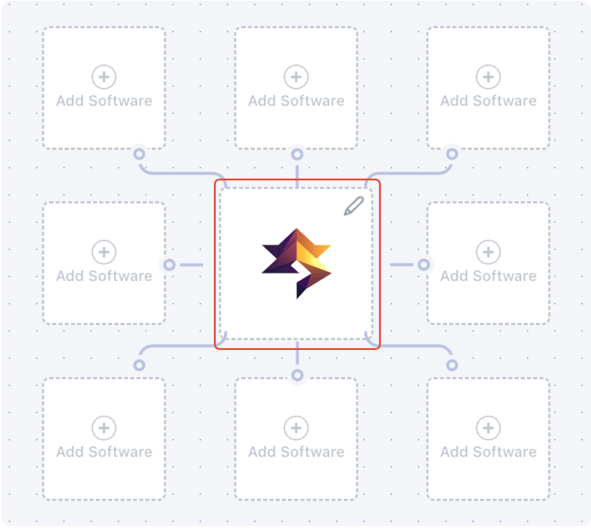
You can create a grid of compatible software and publish it on Coachbar's directory.
Personas
Creating an ideal customer and partner profile can help you attract relevant leads for your business.
Click on "Add Persona" to fill in the required details. We have categorized business details as shown below. These are different for the Partner and Customer personas.
Partner:
- Company Revenue
- Service Category
- Tenure
- System Grid
- Company Size
- Industry
- Compatibility
- Profile Completion
- Country
Customer:
- Project Budget
- Service Category
- Waiting Time
- Company Revenue
- Project Duration
- System Grid
- Current Applications Stack
- Industry
- Country
- Company Size
- Deployment
Based on the categories that determine your compatibility, you can drag and position them as needed.
If you require further assistance, don't hesitate to get in touch with our dedicated customer support team at support@appventory.com, and they will be happy to assist you with anything else. We take pride in providing exceptional service experiences, and our commitment to client satisfaction is at the heart of everything we do.