.png?width=187&height=40&name=AppVentory%20Logo%20(White).png)
June 2026
Business
Dashboard
Needs Review Transaction Mapping - Dashboard Alerts
- Introduced a dedicated notification counter for transactions requiring user review.
- Users can navigate directly from the dashboard to pending review items.
- Improves visibility of data quality issues affecting spend reporting accuracy.
Apps
AI - Powered Transaction Mapping Enhancements
- Introduced confidence-based transaction classification to improve application mapping accuracy.
- The AI evaluates transaction sources differently:
- Accounting Integrations > Primarily analyzes vendor name
- Imported Files > Prioritizes App Nae and uses transaction description when required - Transactions are automatically categorized based on confidence level:
- High Confidence > Automatically mapped to an application
- Low Confidence > Routed to the Needs Review workflow
- Clear Non-Software Transactions > Sent directly to Unmapped - Improves application inventory accuracy and reduces incorrect spend attribution.
Needs Review Transaction Mapping Workflow
- Introduced a dedicated Needs Review tab for uncertain transaction classifications
- Users can review AI suggestions, confidence scores, and make validation decisions.
- Available actions include:
- Confirm > Approves the suggested application mapping
- Unmap > Rejects the suggestion and moves the transaction to Unmapped
- Manual Override > Selects another existing application
- Create New App > Creates an application profile directly within the workflow
- Confirm All > Processes multiple reviewed transactions simultaneously
AI Learning & Mapping Improvements
- The system learns from user decisions to reduce repetitive reviews
- Confirmed mappings automatically apply to future matching transactions
- Rejected mappings are automatically routed to Unmapped for future matching transactions.
- AI continues to review exceptions where transaction descriptions differ significantly.
Spend Overview
Improved Spend Accuracy Through Transaction Validation
- Spend analytics now leverage validated application mappings for improved accuracy.
- Reduces reporting inconsistencies caused by incorrect software classifications.
- Improves confidence in application spend visibility and reporting.
Procurement
App Request
Application Identification Improvements
- Enables users to create new application profiles directly when reviewing unidentified transactions.
- Reduces delays between transaction discovery and application onboarding.
AI Agents
- "Introduced an AI assistant"designed for practice users managing multiple client portfolios
- Provide centralized monitoring of client environments through a single intelligence feed
- Reduces the need for advisors to review individual client spaces and modules manually.
General
Platform Enhancements
Dashboard & Workflow Improvements
- Improved visibility of actionable items across platform workflows
- Enhanced usability of the review and recommendation experiences.
AI Processing Improvements
- Improved AI classification and recommendation workflows
- Enhanced system learning capabilities based on user actions.
Data Accuracy Improvements
- Reduced incorrect application mappings
- Improved reliability of spend reporting and application insights.
Important Notes
- The Needs Review workflow requires user validation for low-confidence transactions before they are included in finalized application mappings
- The Portfolio Intelligence Agent is designed for practice users managing multiple clients and provides automated monitoring based on configured thresholds and schedules
- Slack notifications are limited to high-priority recommendations and public channels due to Slack API restrictions
- AI prioritization is automatically determined based on issue severity and the configured threshold
relevant articles updates will be coming soon....
April 2026
Advisory Practice
App on Charge
Allocation rule logic has been refined to improve clarity and control over cost allocation.
Scope Terminology Update
Legacy scope definitions have been replaced:
- One-time Rule
- Applies to existing spend only
- Can be triggered from a defined start date
- Ongoing Rule
- Applies to both historical and future spend
- Automatically processes all incoming transactions
Rule Configuration Fields
- App
- Source
- Chart of Accounts
This enhancement improves predictability and precision in allocation behavior.
Click here for more information
Spend Overview Enhancement
Spend Overview now supports direct App on Charge rule creation and faster spend categorization.
When a One-time rule is applied:
- Spend is removed from Spend Overview
- Spend is moved to the App on Charge spend list
- Allocation is recalculated automatically
Click here for more information
Business
Apps
Overlapping Tab Navigation Enhancements
Navigation within the Apps module has been improved.
- Added directional navigation (arrow/ links) in the Overlapping tab
- Enables direct access to the corresponding App Detail page
This reduces navigation friction and improves cross-module usability.
App Name Validation Fix
- Improved handling of duplicate or previously used app names
- Enhanced validation messaging during edit actions
- Ensures spend mappings remain intact after name updates
This fix improves reliability in app management workflows.
Spend Overview
(This also includes part of the Advisory workflow)
- Supports direct mapping rule creation (as detailed above on "App on Charge")
- Enables faster categorization and improved data accuracy
Click here for more information
Organization
Inline Editing Enhancement
-
Fields such as Job Title, Department, and Country are now editable inline
- Available directly within listings tables and detail views
- Eliminates the need for separate edit screens for minor updates
This improves administrative efficiency and reduces update time for individual records
Click here for more information
January 2026
Advisory Practice
Advisory Overview
A new financial-insight-focused command center for advisors and accountants.
-
Snapshot of client activation and integration status
- Automated savings and optimization opportunity detection
- SaaS spend visibility and forecasting support
- Vendor compliance & security risk indicators (SOC, ISO, GDPR signals)
- Problematic and overlapping app identification
Advisory Clients
Client lifecycle workflows have been redesigned
New Client Addition Methods
- Manual add
- Bulk import
- Integration-based creation
- Invite Client (new) - send up to 25 invitations simultaneously
Client Types Clarified
- Engaged Client - full data + report eligibility
- Silent Client - limited access, preliminary reporting only
Manual flows now clearly prompt silent vs engaged selection
Advisory Prospects
Prospect handling is now fully separated from client workflows.
Prospect creation methods
-
Manual add
- Enrollment link:
- Request mode > review queue
- Direct prospect mode > auto-listed in Prospects
This reduces advisor workflow friction and improves pipeline hygiene.
App on Charge
(Phase 1 Release)
Introduces a foundational spend allocation layer for advisor-led billing scenarios.
Advisors can now allocate software spend between:
- Internal business cost
- Client-billable cost
Allocation methods
- Mark individual transactions as client-charged
- Split by percentage or fixed amount
- App-level allocation
- Rule-based automation using:
- App name
- Organization source
- Chart of accounts
Advanced App on Charge capabilities are planned in an upcoming release.
Service Practice
Service Overview
A dedicated workspace for technical service teams managing client environments and app stacks with segmented access controls.
Service Clients
Client management for service teams with role-restricted visibility and assignment-based access.
Service Prospects
Parallel prospect handling structure for service-led engagements.
App Stack
Technical stack-focused client app visibility and management workspace for service practitioners.
Business
Dashboard
Enhanced visibility into problematic apps and risk indicators with faster navigation to app detail pages.
Click here for more information
Apps
The Apps module has been enhanced to deliver stronger intelligence, clearer risk visibility, and faster navigation across the full application (All Apps, Problematic Apps, Overlapping Apps, and Alternative Apps views)
Key updates include:
- Improved App Identification Accuracy: A restructured backend leveraging an LLM improves transaction-to-app classification accuracy by approximately 24-25%, while optimizing compute usage.
- Scalable Sync Architecture: Accounting integrations now support up to 5 million transactions per day, 40 concurrent organization syncs (scaling toward 100), and 3 times faster data synchronization.
- Automated Compliance Risk Flagging: Applications are automatically marked as High Compliance Risk if they hold one or fewer major certificates (SOC, ISO, GDPR signals). Risk indicators are visible at the Business level, Client level, and within the Problematic Apps view.
- IDP Signal Reframing: IDP-derived insights are now labeled "User login activity in last 90 days", replacing "App Usage" to correctly position the data as indicative rather than definitive. Accuracy is higher for applications using MFA.
- Direct Navigation Improvements: Users can now navigate directly from the Problematic Apps list to the App Detail page, reducing investigation friction.
- Stack Optimization Intelligence: Overlapping Apps and Alternative Apps views highlight consolidation opportunities and AI-supported alternative recommendations to support cost optimization and procurement decisions.
Click here for more information
Spend Overview
Benefits from faster sync speeds and higher transaction processing through (see Performance section).
Click here for more information
Renewals
Foundation laid for an upcoming AI-driven renewals duplicate tool purchase.
Click here for more information
Procurement
AI-assisted procurement request workflow to reduce duplicate toll purchases.
Request flow
- Employee submits app request with:
- Use case
- Seats
- Budget
- Department - AI evaluates existing stack alternatives
- Centralized admin review queue
- Email notifications to approvers
Procurement pipeline integration into Systems Review is scheduled for the next cycle.
Organization
App Catalog
Centralized internal app catalog for employee access and request management.
Admin controls:
- Enables/ disables catalog
- Allow or block access requests
- Allow or block procurement requests
Employee capabilities:
- Request app access
- Submit procurement requests
Status updates:
- Auto-updated via IDP login where available
- Manual override supported by admins
Upcoming: Expanded department budget and user management enhancements.
Click here for more information
Reports
A new dedicated report generation workspace standardizes advisory reporting.
System Review Report
A holistic software landscape assessment including:
- System indicators
- Spend optimization
- Vendor risk & compliance posture
- User access and deployment risk signals
- Software landscape alignment & priority initiatives
- Procurement pipeline section (scheduled next cycle)
Available only for Engaged Clients due to required integrations.
Report Delivery
- PDF generation
- Download
- Direct email to client with editable message
- Centralized report repository per advisor
Integrations
Client-Level Integration Management
Integrations can now be managed directly from each client record.
Advisors can:
- Connect accounting systems
- Connect IDP providers
- Manage mappings and chart-of-accounts settings
Eliminates repeated navigation to a global integration hub.
General
The General module supports operational workflows across practices and business units.
Task Management
Centralized task tracking across clients and internal teams
- Assign and manage tasks
- Visibility across advisory and service workflows
- Continuous activity logging
Campaigns
Structured outreach and engagement workflows.
- Support for advisory initiatives
- Client engagement management
- Controlled communication settings aligned with updated email governance
Settings
Global configuration management.
- Role and permission controls (7-role model)
- Email communication controls (reduced frequency + expired account supression)
- Client deletion controls (including silent client account deletion)
- Organization-level configuration options
Future Enhancements:
- Advanced App on Change capabilities
- Faster IDP integrations for major providers
- In-product AI assistant chat for spend and optimization insights
- Renewals & recommendation engine
- Enhanced onboarding flows
- Organization module expansion
- Browser extension for app usage estimation and time tracking
AppVentory Practice
October 2025
Redesigned Client Detail Page
Advisors now benefit from a unified and actionable Client Detail Page, centralizing all critical data and actions with a 360° view of spend, apps, users, and opportunities, without switching tabs.
Client Overview: Details & integration badges.
Spend & Apps: Top spenders, subscriptions, trends.
Opportunities: Insights for optimization, upsell.
Users: Active users list with POC management.
The difference between Engaged and Silent Clients has been clarified. Engaged clients have full feature access, while Silent clients are now classified as Contacts. Advisors can send invitations to these Contacts to onboard users via the new "Send Invite" option.
The sticky sidebar now consolidates AppStack assignments and suggested application additions. Tasks, Notes, Reports, and Activity Logs are unaffected, with logs continuously tracking all updates.
Client Merge
AppVentory's new Client Merge feature helps advisors manage duplicate client entries from manual additions or integrations. Duplicates appear in the "Duplicate Entry List" under "Prospects," allowing merging into an existing record or creating a new one.
The process prioritizes primary client data, removes redundant information while transferring linked users, and requires client email approval. Safeguards prevent merges that compromise data integrity (e.g., merging "Engaged" into "Silent"). This feature offers a clean, compliant, and traceable method for consolidating records, saving time, enhancing data accuracy, and maintaining client trust.
Click here for more information
August 2025
1. Prospects
Streamlined Client Onboarding & Management
The onboarding process has been revamped to include new activation methods: Silent Activation and
Engaged Activation.
Both methods are recorded in the client's profile and are interchangeable at any time.
Silent Activation:
- Configures settings without client notification.
- Allows integration of applications, user addition, and accounting data linking before sending an invitation.
Engaged Activation
-Involves the client immediately by providing login credentials for real-time collaboration.
The Prospects tab guarantees a fluid client experience with optimized efficiency and minimized communication exchanges.
Click here for more information.
2. Clients
Self-Onboarding / Client Intake Form
-
Future clients submit details, including business names and contact information, via a shareable link, eliminating manual data entry.
-
Submitted data populates a "Prospect Section" for review, where teams can approve, reject, or auto-accept based on criteria.
-
Approved prospects automatically transition to the active client list.
This automated system enhances efficiency and accuracy, reduces human error, saves time, and maintains an organized client pipeline, allowing businesses to focus on relationships and service.
Click here for more information.
June 2025
1. Practice Overview
Redesign Dashboard:
A complete visual overhaul of the Practice Dashboard offers smarter and faster insights:
- Automatic currency conversion based on your base currency.
- View top recurring revenue sources and project opportunities at a glance.
- Instantly act on underutilized or non-approved apps.
2. Clients
-
Simplified Navigation: Jump to any client's account in seconds with enhanced access controls.
-
Refined Notification Logic: Assign up to five managers per client. Only those assigned receive alerts, ensuring relevance and reducing clutter.
-
Cleaner Communication: Only the 5 assigned managers per client will receive client-related alerts, ensuring focused, relevant communication and reduced noise across the platform.
3. Campaigns
-
Bulk Campaign with Smart Filters: Launch campaigns to multiple clients using refined filters (by usage, department, engagement).
-
New Engagement Metrics: Track open rates, click rates, and configure follow-up triggers.
May 2025
-
UI/ UX enhancements applied across the entire AppVentory platform, offering a more strealined and modern user experience.
-
Consolidated access via a single URL: my.appventory.com, enabling simplified entry to both Business and Practice versions.
-
Updated sign-up flow now begins with registration for a Business account, with the option to upgrade to a Practice version if needed.
February, 2025
-
Notes Management: Tools to jot down messages/notes on specific client. Refer to this article for more details.
-
Subscription changes: Refer to this article for more details.
-
Problematic apps resolution process & flagged apps: Refer to this article for more details.
-
Inclusion of new fields in the clients landing page: Recurring revenue & Project opportunities. (Shown only under the "All" & "Active" tabs)
January, 2025
-
Select All & Edit Functionality: Bulk edit apps, clients, and transactions. Refer to this article for more details.
-
Schedule a Call Feature: Clients can book meetings with tech advisors. Refer to this article for more details.
-
Redesigned Settings Menu: Improved layout for easier navigation. Refer to this article for more details.
-
Task Management: Enhanced tracking and collaboration. Refer to this article for more details.
-
Problematic App Identification: Automated detection of app issues. Refer to this article for more details.
-
Xero Pricing Update: Updates to Xero subscription and pricing. Refer to this article for more details.
December, 2024
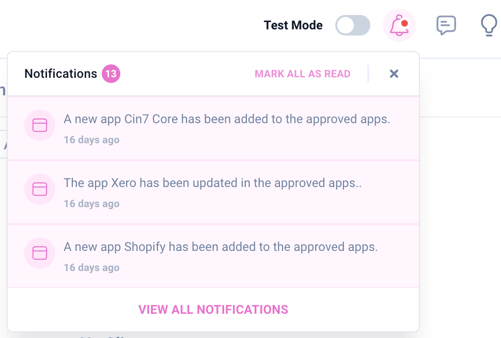
1. Stay Informed with Real-Time Notifications
-
Get instant updates on critical events, tasks, and client activities.
-
Prioritize effectively with timely alerts about client onboarding, task progress, and app recommendations.
-
Strengthen client relationships with notifications for interaction updates and app optimization opportunities.
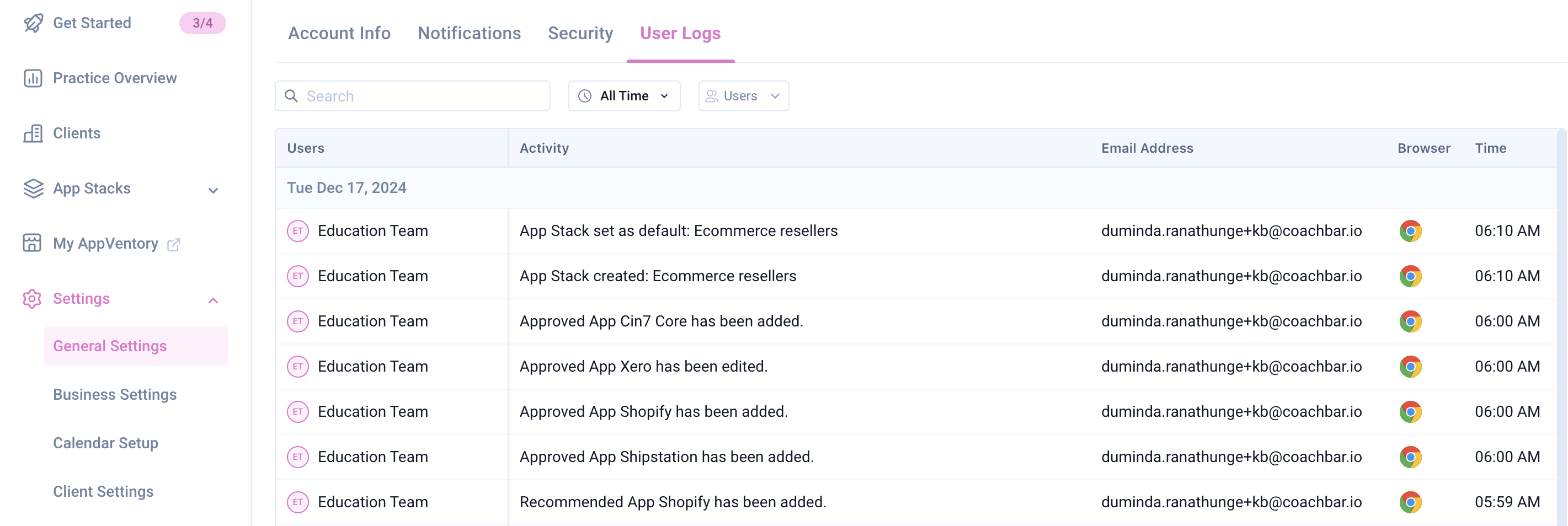
2. Strengthen Security with Comprehensive Audit Trails
-
Maintain accountability with a detailed record of all user actions.
-
Ensure data security and meet compliance needs by logging every change.
-
Quickly resolve issues and analyze events for continuous improvement.
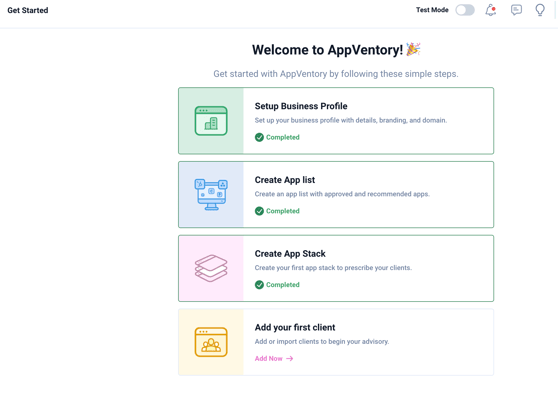
3. Simplify Onboarding for Tech Advisors and Business Owners
-
Enjoy a smooth transition with guided onboarding.
-
Explore AppVentory’s features easily and start leveraging its benefits faster.
-
Increase user adoption and long-term engagement with an intuitive start.
4. Boost Growth with Subscriptions and Refer-a-Mate Program
-
Build loyalty with subscription services that provide consistent value.
-
Expand your customer base through rewards-based referral programs.
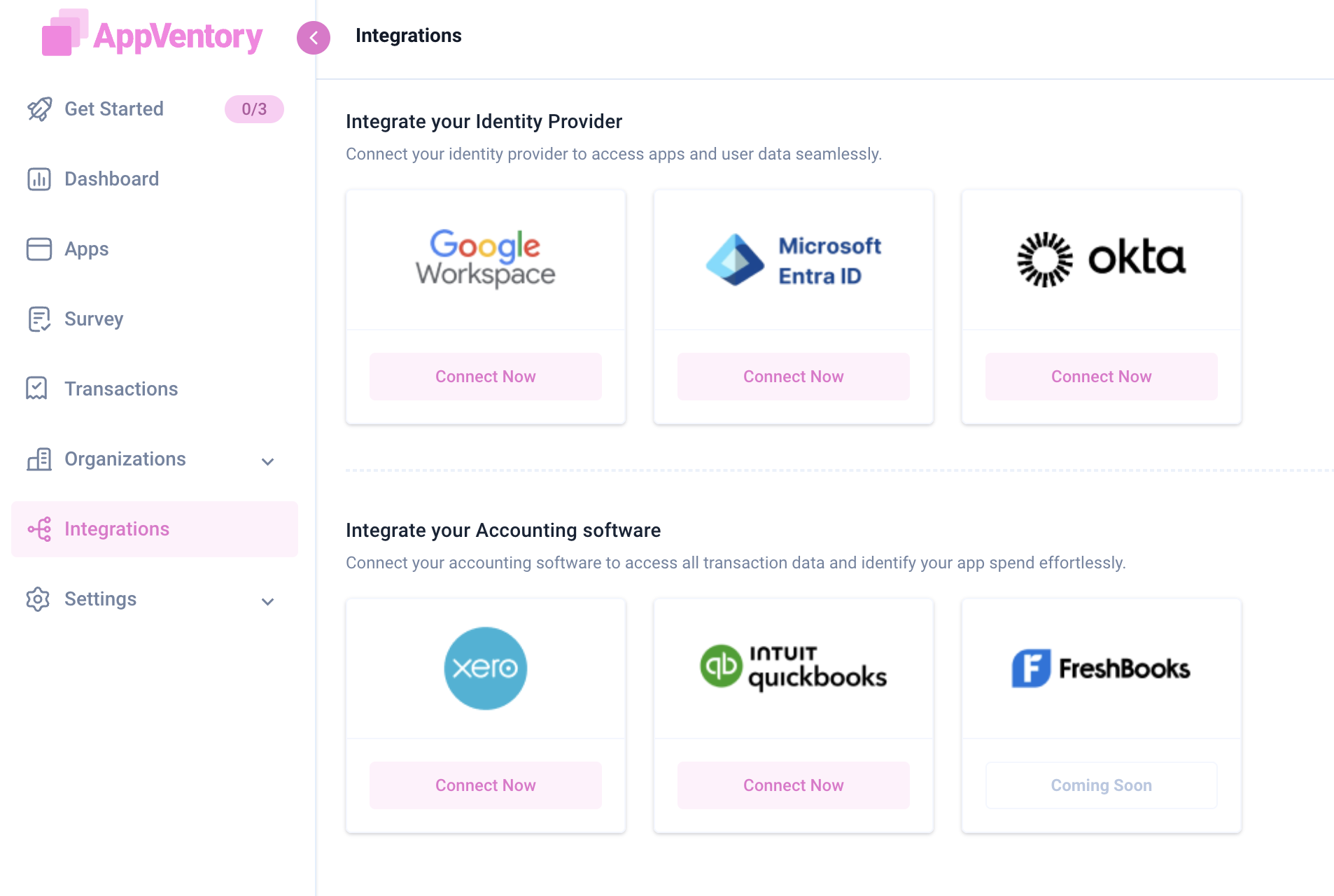
5. Real-Time App Insights with Okta Integration
-
Access app and user data instantly for better insights.
-
Streamline data integration and reduce manual errors.
-
Track user activity patterns and offer personalized app recommendations.
Additional Updates:
-
App cost trends (year-over-year percentage changes).
-
Client import feature.
-
Xero sign-in support.
-
Single business accounts for every Multi Business user.
November, 2024
AppVentory MultiBusiness Version was released.
AppVentory Business
December 2025
1) Renewal Management
AppVentory’s users have complete flexibility to edit renewal details at any time and choose whether to continue auto-updating or adhere to user-defined values. All updates are synchronized across dashboards, app details, and upcoming renewals, ensuring comprehensive visibility and control over all subscriptions.
This feature is organized into two tabs: Active Renewals and Needs Review.
Active Renewals
-
The system automatically identifies subscription renewal specifics (frequency, amount, and date) by analyzing transaction patterns.
-
Users can confirm these details manually. Once confirmed, AppVentory manages and updates the renewal schedule.
-
Allows users to flag apps for review, create tasks, or set renewal alerts (weekly for monthly plans, monthly for annual plans).
Needs Review
The Needs Review tab highlights apps where the renewal pattern could not be confidently identified, signaling a need for manual user input.
2) App Usage Insights
The App Usage Insights feature is a comprehensive dashboard that classifies users as Active or Inactive to measure application engagement and optimize resource allocation.
The insights are derived from successful login activity logs securely obtained from integrated Identity Providers (IDPs), such as Google Workspace or Microsoft/Azure AD/Entra ID.
|
Note: Mandatory IDP integration is a prerequisite for this functionality. |
Usage Tab Metrics
The Usage tab presents key metrics for a specified time frame (e.g., 30 to 180 days):
|
Metric |
Definition |
|
Total Users |
The complete count of provisioned user accounts. |
|
Active Users |
Users who have recorded a minimum of one successful login within the specific period |
|
Inactive Users |
Users with zero successful logins within the specified period. (including provisioned, never-used accounts, often referred to as shelfware). |
Additional details provided included the total Login Count and the Last Login Date.
Data Integrity
The accuracy of the data is predicated solely upon recorded login events (authentication occurrences) and does not reflect actual session duration. Extended session timeouts may consequently lead to an underestimation of reported activity.
|
Recommendation: To ensure accurate usage data, re-authentication timeouts for 2FA/SSO should be implemented or reduced to enforce periodic authentication. This measure will ensure the generation of the necessary log events for tracking. |
Future Development Roadmap
Subsequent phases of development will incorporate features such as automated account de-provisioning, intelligent license reclamation, and enhanced contextual data integration.
October 2025
1. Apps
-
Redesigned App Listing & Stages
The App Listing view has been revamped for better usability. Apps are consolidated and categorized into new stages: In Use, Discovered, and Inactive.
-
Redesigned App Details Page
Introduced a modernized layout with a clear structure. Key details are placed in a static, dedicated right-hand panel.
-
Key Spend Metrics
Added a toggleable summary bar displaying key financial metrics: App spend in the last 12 months, Forecasted value, and App spent per employee.
-
Visual Spend Data & Inline Editing
Spend data now includes visual charts on hover. Inline editing for fields like App Owner and Department is now enabled on the list page.
-
Bulk Actions
Added option to perform bulk updates for key fields (e.g., department, subscription).
-
Compliance & Risk Status
Introduced an App Details view to display risk rating and compliance status (e.g., GDPR, SOC, ISO compliance).
-
Licence Utilization & Users
Enhanced visibility into active and inactive users within the App Details page, along with job title and department information.
-
App Data Export
Added a feature to export app data, including a monthly spend breakdown over a selected custom time range and Cost per user for the last 12 months.
-
Cost Optimization: Overlapping Apps
Introduced a new dashboard with KPIs, Total Potential Saving and Realized Savings. Features include a confidence score, feature comparison table, and user actions to Dismiss or Mark as Consolidated (with savings input)
-
Cost Optimization: Problematic Apps
Enhanced the flagging of problematic apps by displaying actual figures (e.g., high cost per user) alongside the reason. Apps are now managed in Needs Review and Resolved Apps tabs.
Click here for more information
2. Dashboard enhancements
-
Software Financial Review Report
The enhanced "Generate Report" feature is launched, providing a Preliminary Software Financial Review Report (can be used for a firm's internal stack). This one-click report offers detailed analysis on spend, forecasting, vendor risk, and optimization opportunities.
-
Advanced Forecasting Logic
Introduced linear and CAGR-based projection models for improved financial forecasting within the App Spend Report.
Click here for more information
August 2025
1. Spend Overview
-
The Archived Spend tab is available on the Spend Overview page alongside the Mapped Spend and Unmapped Spend tabs.
-
When an application is deleted from either the Mapped or Unmapped Spend list, all associated transactions are automatically moved to the Archived Spend tab.
-
Restoration of an application reinstates its archived transactions back to the original classification under Mapped Spend.
Click here for more information
2. Apps
-
The Delete option is available in the Apps section of the client profile. Applications can be removed from the list using the Delete action. Transactions may be deleted individually or in bulk from the Transactions section. All actions generate a confirmation prompt and are logged for audit tracking.
Click here for more information
June 2025
1. Dashboard
-
Customizable Widgets: Drag, drop, and organize widgets based on your business priorities.
-
New "Problematic Apps" Widget: Identify performance concerns at a glance and resolve quickly.
-
Overlapping App Detection (Beta): Smart detection of apps with similar functionality and AI-powered savings suggestions.
Click here for more information.
2. Apps
-
Unified App View
The All Apps tab brings together all app categories for easier navigation.
-
Bulk Department Update
Edit department assignments across multiple apps directly from the app table.
-
Unassigned Owner Filter
Quickly locate apps without owners and assign responsibility.
-
Sharper App Controls
Improved visuals and creation tracking. Edit app names and descriptions right in the module.
Click here for more information
3. Survey
-
Revamped Interface: The survey module now features a modern and user-friendly UI.
-
AI Summery with Typing Effect: An animated summary powered by AI offers a concise overview of collected responses.
Click here for more information
4. Spend Overview
-
Overlapping Functionality Insights
Identify redundant apps to reduce spend.
-
Smarter Recommendations
Integrated with AI suggestions from overlapping app detection.
Click here for more information
5. Organizations
-
Department Tab Budget Management
Users can now view, edit, and monitor department tab, consolidated alongside app assignments and team structures.
Click here for more information
May 2025
-
UI/ UX enhancements applied across the entire AppVenotry platform, offering a more streamlined and modern user experience.
-
Consolidated access via a single URL:my.appventory.com ,enabling simplified entry to both Business and Practice versions.
-
Updated sign-up flow now begins with registration for a Business account, with the option to upgrade to a Practice version if needed.
February, 2025
-
User & role access management: Introducing the ability to manage roles and permissions when inviting users - Refer to this article for more details.
-
Deleted/Archived apps: Ability to track deleted or archived apps - Refer to this article for more details.
-
Xero certification & activate/deactivate flow: Refer to this article for more details.
-
Refreshed email templates & demo data across the system.
-
Security & infrastructure measures (VAPT passed).
-
Abilty to download five years worth of data from Xero & QBO.
-
Introducing background processing of Apps and manual imports.
December, 2024
1. Stay Informed with Real-Time Notifications
-
Get instant updates on critical events, tasks, and client activities.
-
Prioritize effectively with timely alerts about client onboarding, task progress, and app recommendations.
-
Strengthen client relationships with notifications for interaction updates and app optimization opportunities.
2. Strengthen Security with Comprehensive Audit Trails
-
Maintain accountability with a detailed record of all user actions.
-
Ensure data security and meet compliance needs by logging every change.
-
Quickly resolve issues and analyze events for continuous improvement.
3. Precision with Custom Mapping for Unrecognized Transactions
-
Match unrecognized transactions to the right apps with custom mapping.
-
Optimize app spend and ensure accurate financial reporting.
-
Gain clearer insights into app usage trends and financial health.
4. Real-Time App Insights with Okta Integration
-
Access app and user data instantly for better insights.
-
Streamline data integration and reduce manual errors.
-
Track user activity patterns and offer personalized app recommendations.
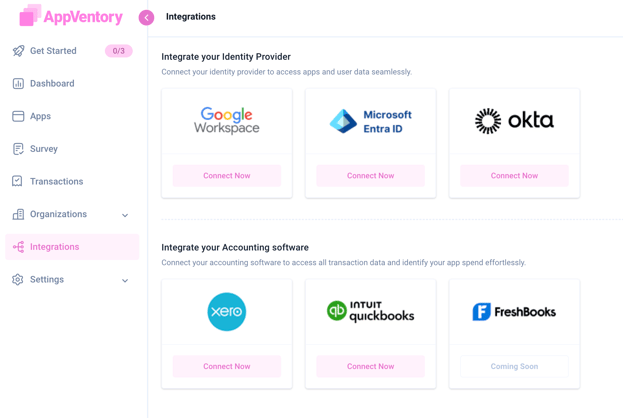
AppVentory General
October 2025
1. Integrations
-
Unified Email Communications
Implemented unified email notifications for successful integration corrections.
-
Prepaid Transaction Support
Added support for fetching and analyzing prepaid transactions from QuickBooks Online (QBO) and Xero.
-
Multi-Org QuickBooks Integration
Introduced enhanced QuickBooks integration to support advisors managing multiple client organizations. The new mapping flow automatically detects existing clients and displays a “Match Found” tag, allowing advisors to map, defer, or review organizations later. A dedicated unmapped section and a new “Connected By” column improve transparency, prevent duplicates, and streamline multi-client accounting management.
-
Microservice Architecture
Transitioned the platform to a microservice-based architecture to manage large-scale data volumes and improve processing speed and stability.
Click here for more information
2. Subscription
-
AppVentory Free Plan
Launched a new free subscription plan to expand accessibility for small and mid-sized firms.
Click here for more information
August 2025
1. Client Selection Dropdown
-
This is a new feature located in the center of the AppVentory main page
-
This dropdown allows selecting a specific client or adding a new client profile
-
Only one client can be selected at a time
-
Only Visible when the “Try Practice” button is clicked.
-
Only accessible when Test Mode is toggled off.
Click here for more information
2. Xero Integrations
-
Bulk Client Import (Advisor Only)
-
Current soft limit are 50 organizations per account
-
Xero integration currently supports both Xero HQ and XPM APIs.
Click here for more information
3. Xero Practice Manager
-
Automated client list import from Xero Practice Manager to AppVentory.
-
Automatic synchronization of client additions and updates between platforms.
-
Flagging of unmatched clients for review.
-
Elimination of duplicate records and manual data entry.
-
Ensures a consistently accurate and up-to-date client list.
Click here for more information
June 2025
1.Integrations
-
XPM Integrations: Sync with external practice management tools
-
Multi-Zero Accounting Integration: Connect your accounting system seamlessly.
-
Step-by-Step Setup: A user-friendly guided onboarding experience simplifies integration.
2. Settings
-
Admin Empowerment Tools: Admins can now autonomously manage user accounts, helping larger teams scale with self-service tools and less friction.
Future Enhancements
October 2025
1. Automated Renewal Management
Upcoming Business feature to automatically identify renewal dates and streamline contract renewals.
2. New Navigation Experience
Planned redesign to deliver tailored navigation for smaller advisory businesses (report-focused) and larger firms or service centers (end-to-end service workflows).
3. Improved Client Self-Onboarding
Enhancements to the intake form for a smoother and faster client setup process.
4. AI-Powered Procurement Module
Development in progress to enable intelligent procurement recommendations and automation.
5. Systems Review Report
New reporting tool under development for comprehensive system performance evaluation.
6. Code Cleanup and Continuous Architecture Improvements
Ongoing initiative to optimize performance and reliability as part of the migration to microservice architecture.
August 2025
-
In Xero Integration there is a plan to introduce to filter by organization in an upcoming release.
June 2025
-
Client Self-Onboarding
-
Automated App Renewal Process
-
Future Campaign Metrics
-
Full rollout of enhanced integrations
If you need further assistance, please contact our dedicated customer support team at support@appventory.com who will assist you with anything else you need. We take pride in providing exceptional service experiences, and our commitment to client satisfaction is at the heart of everything we do.