.png?width=187&height=40&name=AppVentory%20Logo%20(White).png)
What you get
The information AppVentory has collected about one application in one place, so you can investigate cost, users, spend, contract and related context before making a decision.
Getting there
Go to Apps and click any application.
The side panel
Owner, how many people hold it, category, departments, deployment, survey rating, when it was discovered, compliance status and tags. The fastest read on the page.
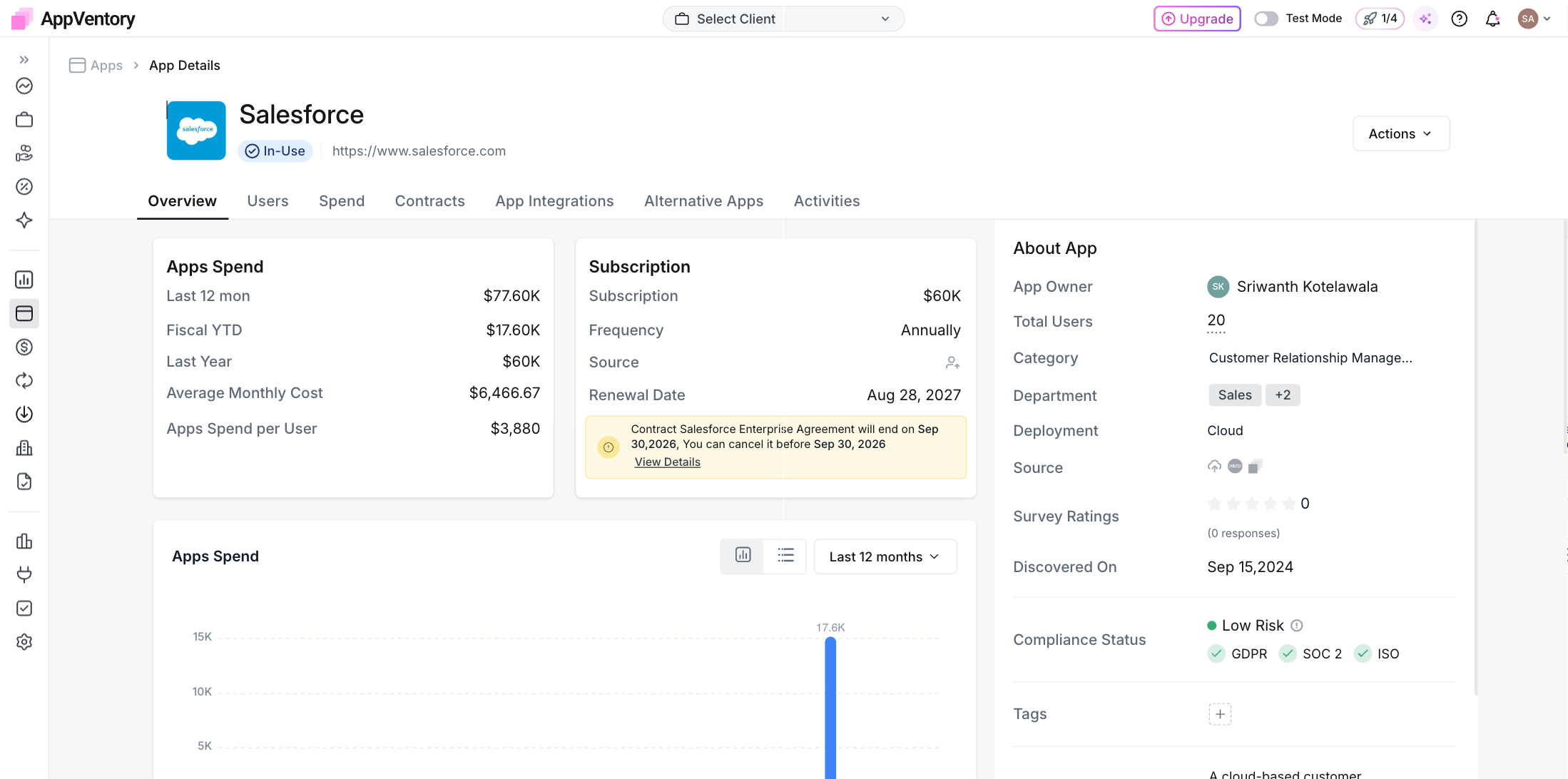
App Details Overview with the About App side panel
The tabs
- Overview — Cost, subscription, renewal date
- Users — Who holds it, and who opens it
- Spend — Every transaction behind the total
- Contracts — Terms, dates, the document itself
- App Integrations — What breaks if this goes
- Alternative Apps — Cheaper or overlapping options
- Activities — What changed, and who changed it
Read users and usage separately
App Users shows the users associated with the application. Usage Activity adds the usage signals AppVentory has for the selected period. A gap between access and activity is a reason to investigate licence need; it is not automatic proof that a seat can be removed.
Three decisions this screen supports
Keep it. Used, sensibly priced, renewal date known.
Right-size it. More licences than users. Take the difference into the renewal conversation.
Replace it. Check Alternative Apps for the option, and App Integrations for what depends on it first.
What you've unlocked
You now have the app-level context needed to decide whether to keep, right-size, investigate or replace a tool.