
What you get
A view of your whole client book in one place: which clients spend the most on software, where they pay twice, what renews soon, which apps look risky, and which clients are missing tools they should have. Each one is a reason to call a client.
Three things it brings together for each client
Their app inventory. Apps come from the client's connected sources and anything you import for them. Coverage depends on what is connected.
Their software spend. Transactions from the client's accounting file are matched to apps, so you see app-level cost, trends and year-on-year change.
Signals worth raising. Overlapping apps, spend anomalies, licences held by people who have left, monthly plans that could be annual, renewals with problems, gaps in their stack and risky apps. Treat these as prompts for a conversation, not instructions to cancel.
Where you see it
Practice Overview rolls every client up into four cards: Cost Savings, Compliance Health, Recommended Apps and Apps on Charge. Clients lists the same signals per client, and each client's record holds the detail.
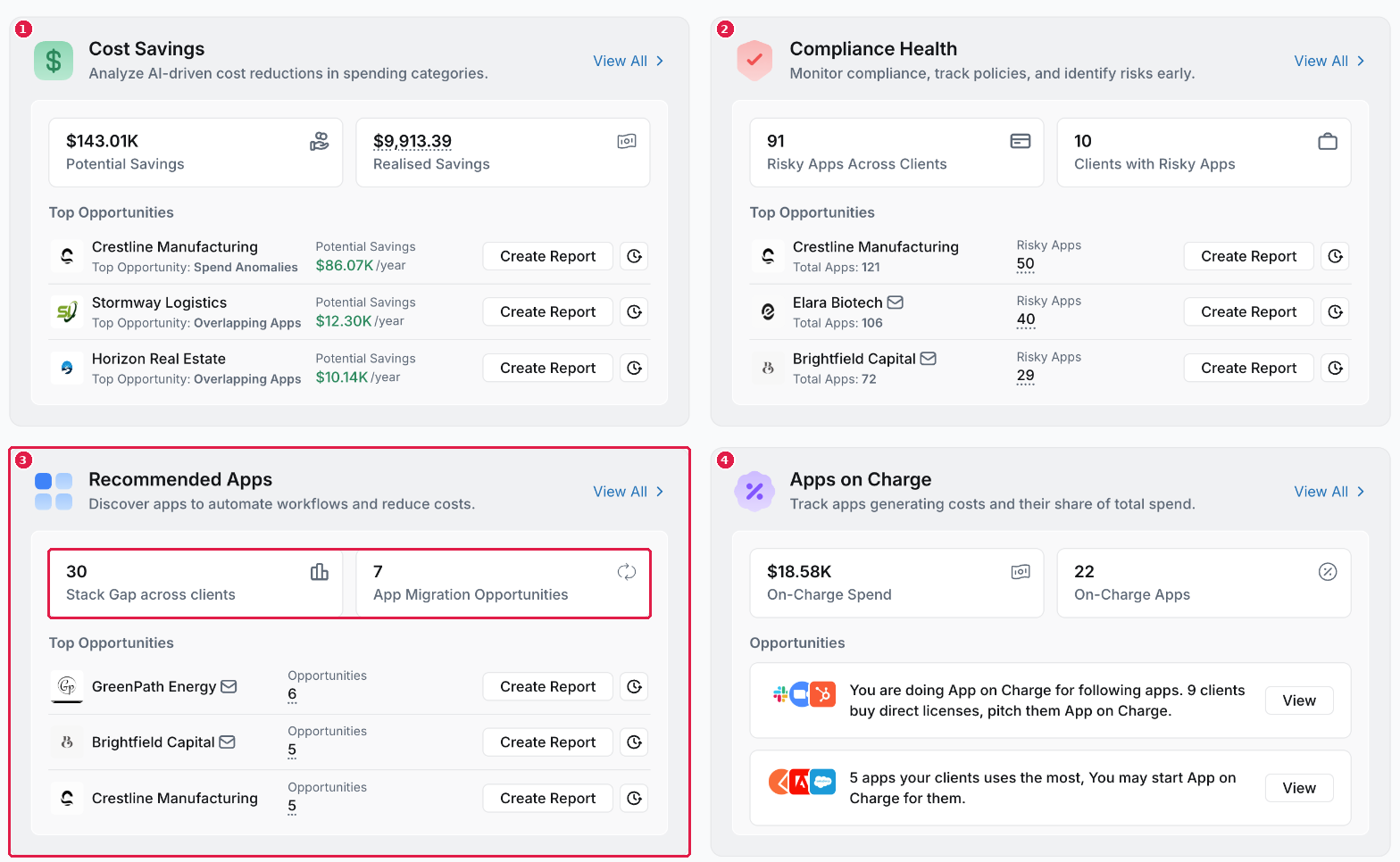
Practice Overview: savings, compliance, recommended apps and App on Charge across every client
Where the value comes from
The value appears when a finding becomes advice the client acts on: consolidating a tool, reclaiming licences, renegotiating a renewal, or adding the app their stack is missing. Validate potential savings against the client's contracts and needs before you present them.
Your own software too
Your practice can track its own software in My Business, using the same screens as a business customer. See Running your own stack and your clients' together.
What you've unlocked
You know what AppVentory can find across your clients. Next: What each setup step unlocks for your practice.
Managing your own organisation's software? See What AppVentory can help you find.