
5 minutes · Needs enough spend history for a comparison
What you get
The client apps whose cost rose sharply compared with last year. Price rises slip through because nobody compares this year's invoice with last year's.
Steps
- Open a client and go to Renewals.
- Look at the Problems Identified column and click Needs Attention on a row.
- The Problems Detected dialog names the problem, for example Annual Spend Increase exceeds 20.00%.
- For a portfolio view, go to Cost Savings. The Review N flagged spend increases card leads to a client's Spend Anomalies, which compare the last 12 months with the prior 12.
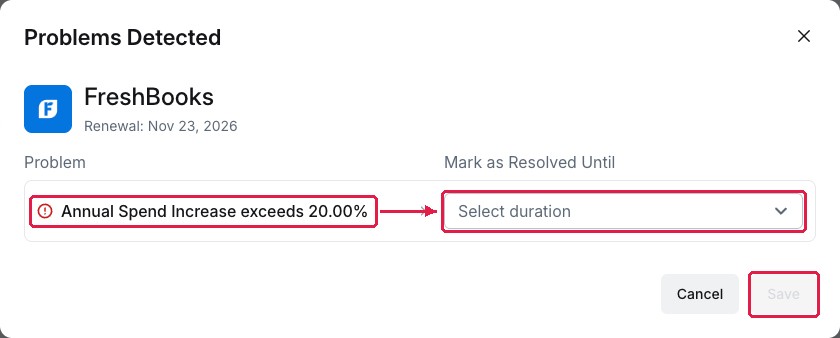
Problems Detected: Annual Spend Increase exceeds 20.00%
What you've found
A specific price increase to question with the client, with the numbers to back it.
Set the threshold for your clients
The 20% trigger comes from Settings → Practice → Problematic App Rules (the page is titled Problematic App Rules (For Clients)) → Annual Price Increase. Lower it if your clients are price-sensitive.
Managing your own organisation's software? See Spot the app whose price quietly jumped.