.png?width=187&height=40&name=AppVentory%20Logo%20(White).png)
What you get
A deliverable for every client from one screen, without opening each workspace — which is what makes portfolio advisory work at scale.
The one-pagers
Three single-page reports exist for clients, each built for a specific conversation:
- Software Spend Visibility — "Here is what you actually spend, and on what"
- Compliance & Data Security — "Here is where your stack carries risk"
- Digital Transformation — "Here is what could be automated or modernised"
Send one alone, or combine them into a Software Assessment.
Steps
- Go to Practice Overview or Cost Savings. Every client row offers Create Report or Generate Report.
- Work down the list by potential savings. Each click opens that client's report picker with the one-pagers at the top.
- Choose the one-pager that fits the opportunity the row names — spend for a savings lead, compliance for a risk lead.
- Generate. It lands in Reports → My Client Reports with the client's name.
- Email it from there, from your own domain.
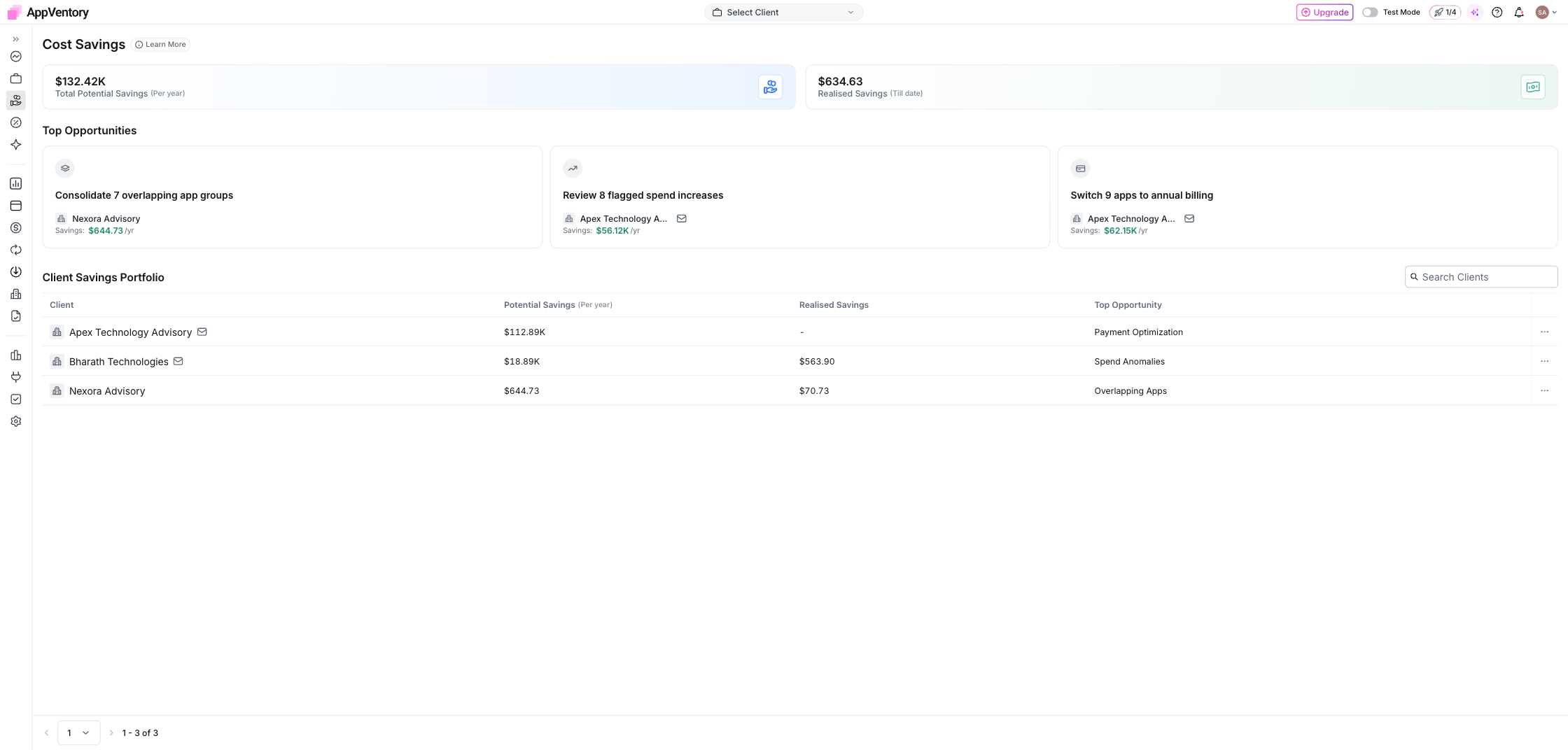
Cost Savings with per-client Generate Report
Branding
Every report carries the logo, colour and font from Settings → Branding. Set it once.
Before it goes out
Run the four checks in Sense-check a report before you share it on the first one for each client. After that, the routine takes minutes.
A report sent is a meeting booked
Add your booking link under Settings → Calendar Setup and the client can pick a time straight from the email.
What you've unlocked
Next: Run a portfolio audit