
15 minutes · Needs each client's app list
What you get
The clients with renewals in the next three months, and the renewals that already show a problem. Every one is a reason to call before the invoice lands.
Steps
- Go to Clients and scroll right to the App Renewals (Next 3 Mon) column.
- Open a client and go to Renewals.
- Start with the Needs Attention chip. These renewals have a problem identified, such as a large price increase.
- Check Renewals to Act On and High Impact for the ones worth a conversation.
- Use Analyze on a renewal for an AI recommendation you can take to the client.
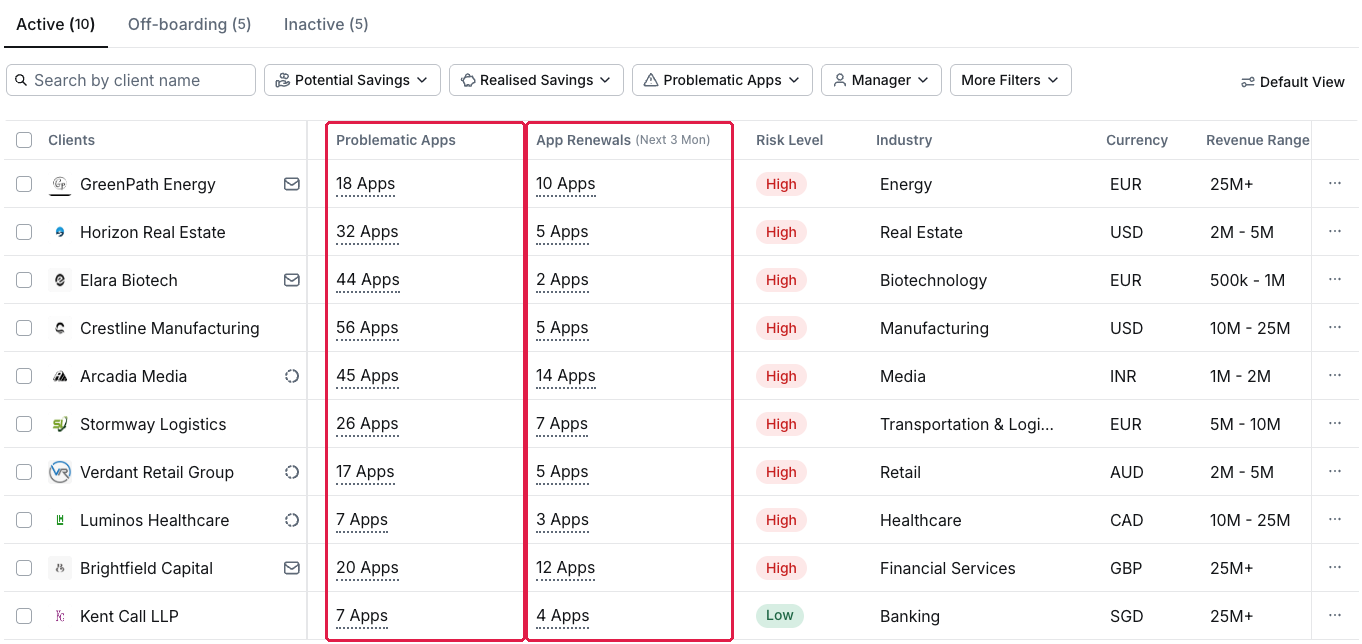
The Clients list sorted by App Renewals (Next 3 Mon)
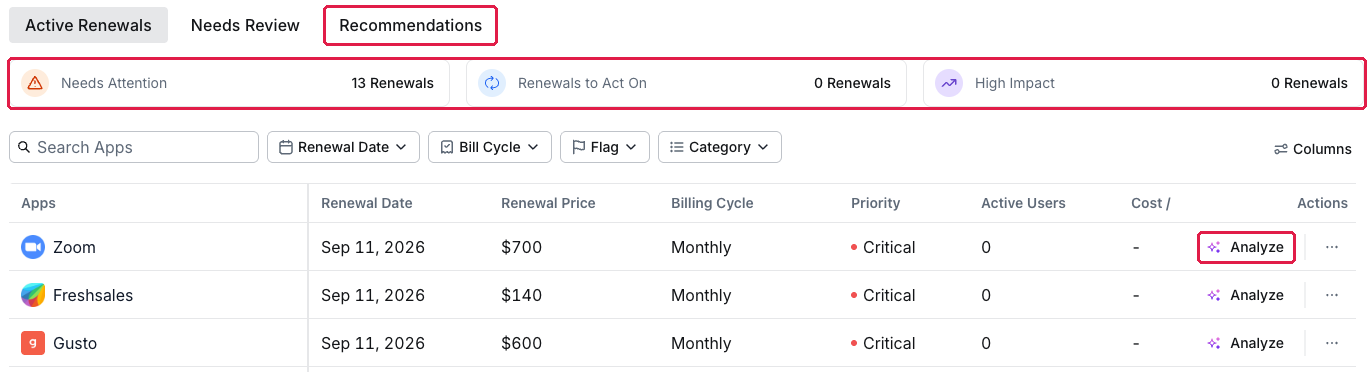
A client's Renewals tab: Needs Attention, Renewals to Act On and High Impact
Let the Agent watch for you
The Portfolio Intelligence Agent posts renewal alerts across all clients, for example Zendesk monthly renewal upcoming in 6 days. Set how far ahead it looks in the Agent's settings.
Fill the gaps while you're here
Renewals without a date sit in the client's Needs Review tab. See Fill in a client's missing renewal data.
Managing your own organisation's software? See Find out what's renewing in the next 90 days.