.png?width=187&height=40&name=AppVentory%20Logo%20(White).png)
15 minutes · Needs your app list
What you get
A short list of subscriptions coming up for renewal, so you can review the ones that matter before the commitment date rather than after it.
Steps
- Go to Renewals and open Active Renewals.
- Review the summary and the renewal records that need attention.
- Sort by renewal date and look at the next 90 days.
- For each, check renewal price, billing cycle and cost per user.
- Set an alert on the ones worth preparing for.
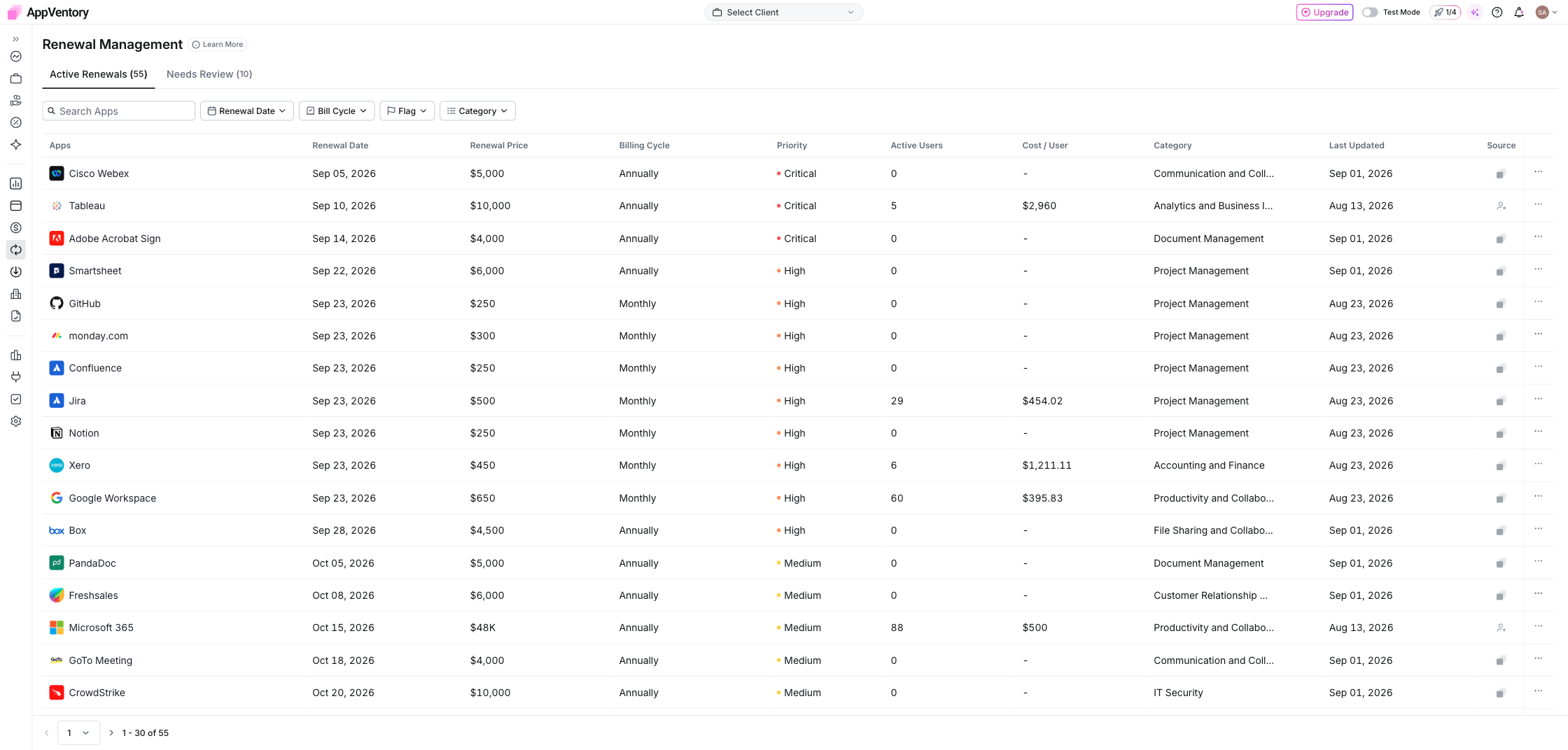
Renewals showing active renewals with priority and cost per user
What you've found
A renewal watchlist you can prioritise using date, cost and the context AppVentory has for each application. Use cost per user, usage and owner input together rather than relying on one number in isolation.
Fill the gaps while you're here
If apps are missing renewal dates, add the dates you know so they can enter the renewal workflow. Start with your highest-spend or most business-critical applications.